


Televizo for PC? The Windows alternative
Televizo is a popular IPTV player, but it only exists for Android. If you want to watch your playlist on a Windows 10 or 11 PC, you have two options: run Android on your PC, or use a player made for Windows.
Is there Televizo for Windows?
No. Televizo runs on Android phones, Android TV, Google TV and Fire TV. There is no version for Windows, Mac or iPhone. Sites offering a “Televizo download for PC” usually just hand out the Android file, or something worse. Don’t install a Windows file from such a site.
Option 1: Televizo in an Android emulator
An emulator like BlueStacks imitates an Android device on your PC, and you can install Televizo inside it. It works, with some catches:
- The emulator needs a lot of memory and processing power, so video stutters sooner on weaker PCs.
- You’re steering a phone or TV app with mouse and keyboard.
- The free version of Televizo shows ads, inside the emulator too.
- Microsoft has discontinued its own Windows Subsystem for Android, so the easy route without an emulator is gone.
Option 2: an IPTV player for Windows
The simpler way is a player that runs natively on Windows. You enter the same details you use in Televizo: an M3U link, an M3U file or an Xtream Codes login. You keep your provider and just swap the player.
That’s why we built Finally: an IPTV player for Windows 10 and 11 that feels like a good Windows app, not like a phone app in a window.
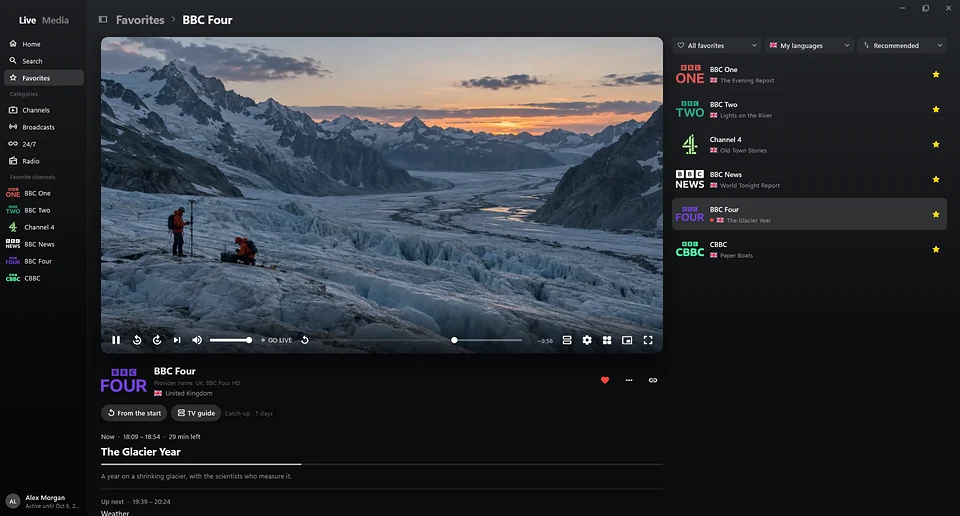
Televizo and Finally compared
| Televizo | Finally | |
|---|---|---|
| Runs natively on Windows | No, Android only | Yes, Windows 10 and 11 |
| M3U link, M3U file, Xtream Codes | Yes | Yes |
| TV guide (EPG) | Yes | Yes |
| Catch-up | Yes, if your provider offers it | Yes, if your provider offers it |
| Ads in the free version | Yes | No |
| Controls | Touch or remote | Keyboard, mouse and media keys |
| Mini window, second screen | No | Yes |
On your phone or TV, Televizo is a fine choice. On a PC, a player made for Windows is more comfortable.
What Finally adds
- A tidy channel list: duplicate channels are merged, and every channel gets a clean name and logo.
- Pause and rewind live TV, even without your provider’s catch-up. Pausing is free, rewinding comes with PRO.
- If a stream fails, Finally switches to another source of the same channel.
- On your TV too: Finally also runs on Android TV, Google TV, Fire TV and Android phones. With PRO, playlists and favorites sync between them, end-to-end encrypted.
- Parental controls with a PIN, in the free version too.
Looking for TiviMate on your PC instead? Here’s the TiviMate comparison.
Switch in three steps
- 1Find your login details. They’re the same as in Televizo. Here’s what they look like.
- 2Open Finally and add your playlist. M3U link, M3U file or Xtream login.
- 3Watch. Finally sorts the channels and loads the TV guide.
Questions
Can I install Televizo on Windows 11?
Only through an Android emulator like BlueStacks. There is no Windows version of Televizo, for Windows 10 or 11.
Does my Televizo playlist work in Finally?
Yes. Finally uses the same details: M3U link, M3U file or Xtream Codes login. Favorites from Televizo are not carried over.
Is Finally free?
Yes. Live TV, the TV guide until midnight, search, favorites and parental controls are free, with no ads and no account needed. PRO adds multiple playlists, the full week guide, catch-up and multiview, among other things.
Does Finally include channels?
No. Finally is a media player, just like Televizo. You need your own playlist or login from a provider.
Updated: November 21, 2026