


IPTV Smarters Pro for Windows PC? What exists and the alternative
IPTV Smarters is one of the best-known IPTV players. Many people use it on a phone or TV and then look for a PC version. Here’s what really exists for Windows, what to watch out for, and how to keep using your login on a PC.
Is there IPTV Smarters for Windows?
Yes, but only just. The developer offers a Windows version as a download on its site smartersott.app. The current release is 1.1.2, with no date given. The version before it, 1.1.1, dates from 2021. So the Windows version has barely changed in years, while the phone and TV apps keep getting updates.
The old address iptvsmarters.com no longer works. If you want the Windows version, only download it from the developer’s site.
Careful with “Smarters” in the Microsoft Store
The Microsoft Store lists several apps with “Smarters” in the name. They come from other publishers, not from the developer of IPTV Smarters. That doesn’t make them bad, but they aren’t the original. Always check the publisher before you install. The same goes for sites offering an “IPTV Smarters PC download”: you often get someone else’s file or an outdated one.
Option 1: the Android version in an emulator
An emulator like BlueStacks imitates an Android device on your PC, and the current Smarters app runs inside it. It works, with the same catches as TiviMate on a PC: the emulator needs a lot of power, the interface is built for phones and remotes, and windows, full screen and media keys don’t behave like they do in a Windows app.
Option 2: an IPTV player for Windows
More comfortable is a player that’s made for Windows and actively maintained. You enter the same details as in Smarters: an Xtream Codes login, an M3U link or an M3U file. You keep your provider and just swap the player.
That’s what we built Finally for: an IPTV player for Windows 10 and 11, available in the Microsoft Store. For the other players that run on Windows, see our comparison of the best IPTV players for Windows.
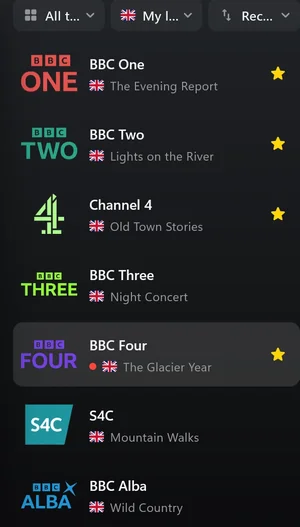
IPTV Smarters and Finally compared
| IPTV Smarters (Windows) | Finally | |
|---|---|---|
| Where to get it on Windows | Download from the developer | Microsoft Store |
| Xtream Codes | Yes | Yes |
| M3U link, M3U file | Yes | Yes |
| TV guide (EPG) | Yes | Yes, including your own XMLTV sources |
| Catch-up | Yes, if your provider offers it | Yes, if your provider offers it (PRO) |
| Multiview | Not stated | Yes, 2 channels (PRO) or 4 (MAX) |
| Recording | Not stated | Not yet |
As of October 2026, Smarters details from the developer’s site. If you use Smarters on your phone or TV and you’re happy with it, there’s no reason to stop. For the PC, a player that’s maintained for Windows is worth it.
What Finally offers on a PC
- Free forever, no account: live TV, the TV guide until midnight, search, favorites, parental controls with a PIN and one playlist.
- A tidy channel list: duplicate channels are merged, and every channel gets a clean name and logo.
- Made for Windows: keyboard shortcuts, media keys, mini window, second screen and Chromecast.
- PRO for €2.99 a month or €19.99 a year: the full week guide, catch-up, live rewind, multiview with 2 channels, automatic best quality, 2 playlists and encrypted sync across up to 5 devices. MAX for €4.99 a month or €29.99 a year: for the whole household with 10 playlists, 6 profiles, 10 devices and 4 channels at once.
- Private: your playlists and logins are end-to-end encrypted.
Switch in three steps
- 1Find your login details. They’re the same as in Smarters. Here’s what they look like.
- 2Open Finally and add your playlist. Xtream login, M3U link or M3U file.
- 3Watch. Finally sorts the channels and loads the TV guide.
Questions
Is there IPTV Smarters Pro for PC?
Yes, as a download on the developer’s site (smartersott.app). The Windows version has barely been developed in years, though. Alternatively, the Android version runs in an emulator like BlueStacks.
Is the Smarters app in the Microsoft Store the real one?
The apps with “Smarters” in the name in the Microsoft Store come from other publishers, not from the developer of IPTV Smarters. Check the publisher before you install.
Does my Smarters login work in Finally?
Yes. Finally uses the same details: Xtream Codes login, M3U link or M3U file. Favorites from Smarters are not carried over.
Is Finally free?
Yes. Live TV, the TV guide until midnight, search, favorites, parental controls and one playlist are free, no account needed. PRO adds multiple playlists, the full week guide, catch-up and multiview, among other things.
Does Finally include channels?
No. Finally is a media player, just like IPTV Smarters. You need your own login from a provider.
Updated: October 8, 2026