


IPTV on multiple devices: one account for PC, phone and TV
Evenings on the TV, mornings on your phone, in between on the PC. So you don’t start from scratch on every device, Finally syncs your playlists, favorites and progress. Encrypted, so only you can read them.
What comes along
- Playlists: added once, there on every device. No typing long addresses a second time.
- Favorites and your own lists, including the order and renamed channels.
- Progress in movies and series: started on your phone, continued on your TV at the same spot.
- Settings such as audio and subtitle language.
Sync is part of PRO and MAX. PRO covers up to 5 devices, MAX up to 10. The app itself is free on every device.
Encrypted before it leaves your device
Finally encrypts everything on your device, with a key derived from your password. Our server only stores unreadable data: we see neither your channels nor your playlists nor your login details. The streams themselves never go through us; they come straight from your provider to you.
So you don’t lose everything if you forget your password, you get an emergency code when you create your account. Keep it somewhere safe.
How to set it up
- 1Create an account on watchfinally.com or right in the app.
- 2Sign in on your first device. Your playlists and favorites are backed up, encrypted.
- 3Sign in on more devices. On PC and phone as usual, on your TV with a QR code (see below). Everything is there within seconds.
Set up your TV without typing
Nobody enjoys entering long addresses with a remote. That’s why Finally shows a QR code on your TV:
- 1Scan the QR code with your phone camera.
- 2On your phone, sign in or add your playlist, comfortably with your phone keyboard.
- 3Done. The TV takes over everything by itself.
Adding your playlist from your phone also works without an account and without PRO.
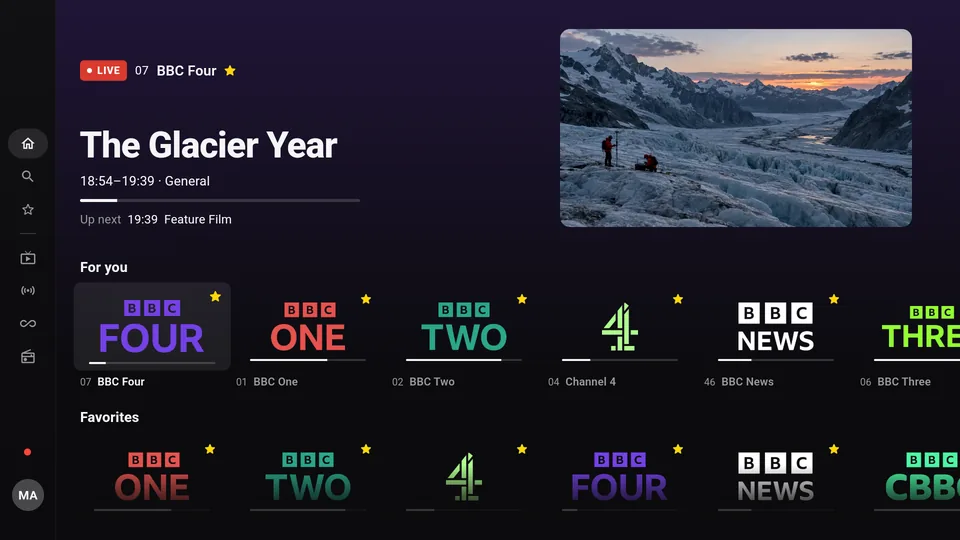
Which devices does Finally run on?
- Windows 10 and 11, in the Microsoft Store.
- Android phones and tablets with Android 7 or later. Guide
- Android TV and Google TV. Guide
- Fire TV: Stick, Cube and smart TVs. Guide
- iPhone, iPad, Mac and Apple TV: in the works. Get notified.
Questions
Can I use my IPTV playlist on multiple devices?
That’s up to your provider. Many only allow one connection at a time. If you watch on two devices at the same time, the second stream may drop. Finally then shows a clear message instead of a black screen.
What happens if I have more devices than allowed?
When you sign in on another device, you choose which one gets signed out. In your account on the website you can see all devices and sign them out there too.
Can Finally read my playlist?
No. It’s encrypted on your device, and only you have the key.
Do I need a separate subscription for each device?
No. One PRO or MAX subscription covers all your devices together, whether PC, phone or TV.
Updated: October 24, 2026