
How to add a TV guide (EPG) to IPTV
The channels play, but instead of “News at 8:00” there’s nothing? Then the TV guide, also called EPG, is missing. Most of the time that takes a minute to fix.
What is EPG?
EPG stands for “Electronic Program Guide”: what’s on now, what’s next and what aired yesterday. With IPTV this data almost always comes as an XMLTV file, a long list of channels, times and titles. Sometimes it’s compressed and ends in .xml.gz.
Where the TV guide comes from
- Xtream Codes login: the guide comes from your provider automatically. Nothing to enter.
- M3U link or M3U file: the guide address is often already in the playlist (in the first line, as url-tvg). A good player then loads it on its own.
- Your own source: if the guide is missing or patchy, you enter an XMLTV address by hand. Many providers list it in the same email as the login details, often as “EPG link”.
Add a guide source in Finally
- 1Open Settings and go to Playlists.
- 2Choose TV guide sources for your playlist.
- 3Under First source, enter the XMLTV address. Leave it empty and your provider’s guide is used.
- 4Optionally add more addresses under More sources. They fill channels and times missing from the first source.
Finally matches the guide data to your channels on its own, even when names differ slightly between playlist and guide. If a channel doesn’t match, you can assign it by hand.
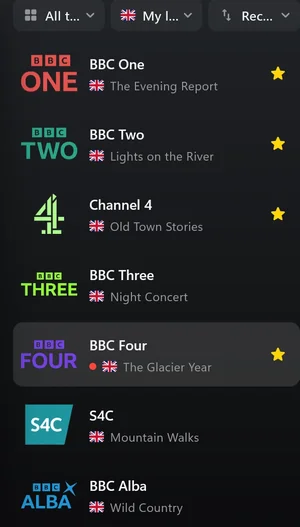
The guide is missing for some channels
- Your provider has no guide for these channels. Common for small channels, extra sports feeds and 24/7 channels. Another source can fill the gaps.
- The match is off: the channel has a different name in the playlist and the guide. Assigning it by hand helps.
- Times are shifted by an hour or two: the source uses another time zone. Another source for the same country is often more accurate.
The guide is missing completely
- Check whether the XMLTV address downloads a file in your browser or shows an error page.
- Large guide files take a moment the first time. Wait a bit and reopen the channel list.
- Ask your provider for the current EPG link. Addresses sometimes change.
Questions
What’s the difference between EPG and XMLTV?
EPG is the TV guide itself, XMLTV is the file format it usually comes in.
How far ahead does the guide go in Finally?
Until midnight for free, the full week with Premium. How far the data actually reaches depends on the source.
Can I combine several guide sources?
Yes. The first source with data applies to each channel, the others fill gaps in the order you set.
Do I need my own EPG address for Xtream Codes?
Usually not. The guide comes from your provider. Your own address is only worth it if the guide is patchy.
Updated: October 5, 2026