


TiviMate alternative: when you want more than Android TV
TiviMate is one of the most popular IPTV players for the TV, and rightly so. But many people don’t only watch on the TV: sometimes on their phone in bed, sometimes on the PC at the office. Here’s an honest look at where TiviMate is strong, where it hits its limits and what Finally does differently.
What TiviMate does well
- Made for the remote: TiviMate is built entirely around Android TV and is quick to use there.
- Many login types: M3U, Xtream Codes and Stalker portals.
- TV guide, catch-up and multiview are included.
- Free to try: the app is free; you buy premium through the “TiviMate Companion” app.
If you only watch on one Android TV device and you’re happy, there’s little reason to switch.
Where TiviMate hits its limits
- Phone and tablet: according to the Play Store, TiviMate is not optimized for touch devices like phones and tablets.
- No Windows, no iPhone: TiviMate is only available for Android TV. On a PC it only runs in an emulator; more in TiviMate for Windows.
- Fire TV only by a detour: on Fire TV, TiviMate installs via Downloader. On new sticks with Vega OS that no longer works.
Finally: one player for all your screens
Finally runs on your TV, phone and PC, each with its own interface: remote on the TV, touch on the phone, keyboard and mouse on the PC.
- Android TV and Google TV. Guide
- Fire TV with Fire OS: Stick, Cube and smart TVs. Guide
- Android phones and tablets with Android 7 or later, with Chromecast. Guide
- Windows 10 and 11, in the Microsoft Store. Download
- iPhone, iPad, Mac and Apple TV: in the works.
With an account and PRO, your playlists, favorites and progress in movies and series come along to all your devices. End-to-end encrypted: our server sees neither your channels nor your playlists. Started on your phone, continued on your TV. Here’s how it works.
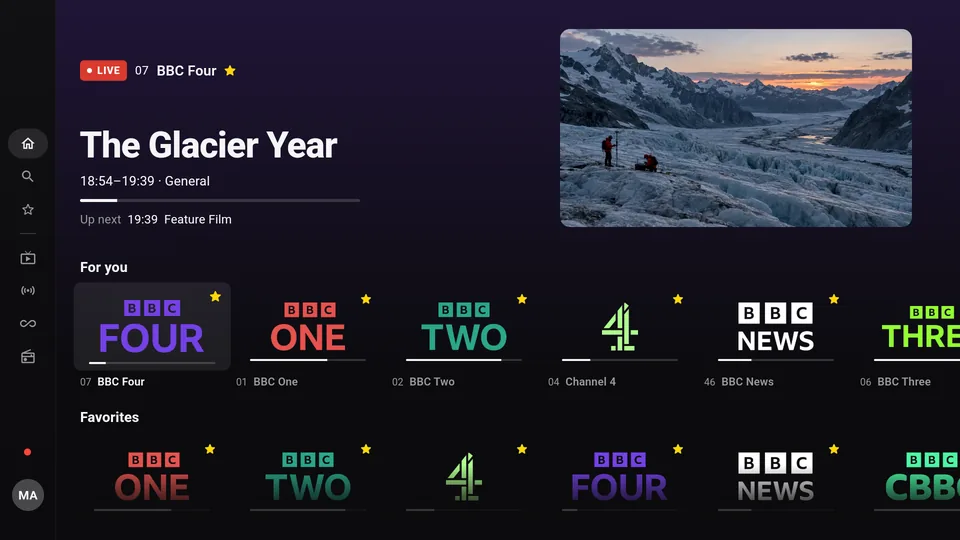
TiviMate and Finally compared
| TiviMate | Finally | |
|---|---|---|
| Android TV, Google TV | Yes | Yes |
| Fire TV (Fire OS) | Via Downloader | Via Downloader |
| Android phone and tablet | Not optimized for touch | Yes, its own phone interface |
| Windows | No | Yes, Microsoft Store |
| iPhone, iPad | No | In the works |
| Xtream Codes, M3U | Yes | Yes |
| Stalker portal | Yes | No |
| TV guide (EPG) | Yes | Yes, including your own XMLTV sources |
| Catch up on missed shows | Yes, if your provider offers it | Yes, if your provider offers it (PRO) |
| Multiview | Yes | Yes, 2 channels (PRO) or 4 (MAX) |
| Price | free + premium | free, PRO from €2.99/month |
As of October 2026, TiviMate details from the Google Play Store.
What else Finally does differently
- Tidy channel list: duplicate channels are merged, and every channel gets a clean name and a logo from our catalog.
- Media library with covers: movies and series with descriptions, ratings, trailers, “Continue watching” and new episodes.
- Setup without typing: scan a QR code on your TV and add your playlist on your phone. That works for free and without an account.
- Audio and subtitles: you set your language once.
- Parental controls with PIN, in the free version too.
- No ads. The streams go straight from your provider to you.
Switch in three steps
- 1Find your login details. They’re the same as in TiviMate: Xtream login, M3U link or M3U file. Here’s what they look like.
- 2Install Finally on the device you use most. On a TV, Finally shows a QR code, and you then enter the details on your phone.
- 3Watch. Finally sorts the channels and loads the TV guide. Add more devices with an account and PRO.
Questions
Is there TiviMate for phones?
According to the Play Store, TiviMate is not optimized for touch devices like phones and tablets. Finally has its own touch interface on phones and casts to your TV with Chromecast.
Is there TiviMate for iPhone or Windows?
No. TiviMate is only available for Android TV. Finally already runs on Windows; iPhone and iPad are in the works. More about TiviMate on PC.
Does my TiviMate playlist work in Finally?
Yes, if it’s an Xtream login, an M3U link or an M3U file. Finally doesn’t support Stalker portals. Favorites from TiviMate aren’t carried over.
Does TiviMate run on every Fire TV Stick?
No. On Fire TV, TiviMate installs via Downloader, and that doesn’t work on sticks with Vega OS. The same goes for Finally. Here’s how to check your device.
Is Finally free?
Yes. Live TV, TV guide until midnight, search, favorites, parental controls and one playlist are free and need no account. PRO adds the full week guide, catch-up, multiview and sync between your devices, among other things.
Does Finally include channels?
No. Finally is a media player, just like TiviMate. You need your own login details from a provider. Is IPTV legal?
Updated: October 24, 2026